One-click tuning for FPS, memory, and network cleanup.
Explore FrameBoost features for Game Mode, RAM Purge, FPS Boost, Deep Clean, Network Tuner, and a 200+ Windows and 50+ Mac tweak library.
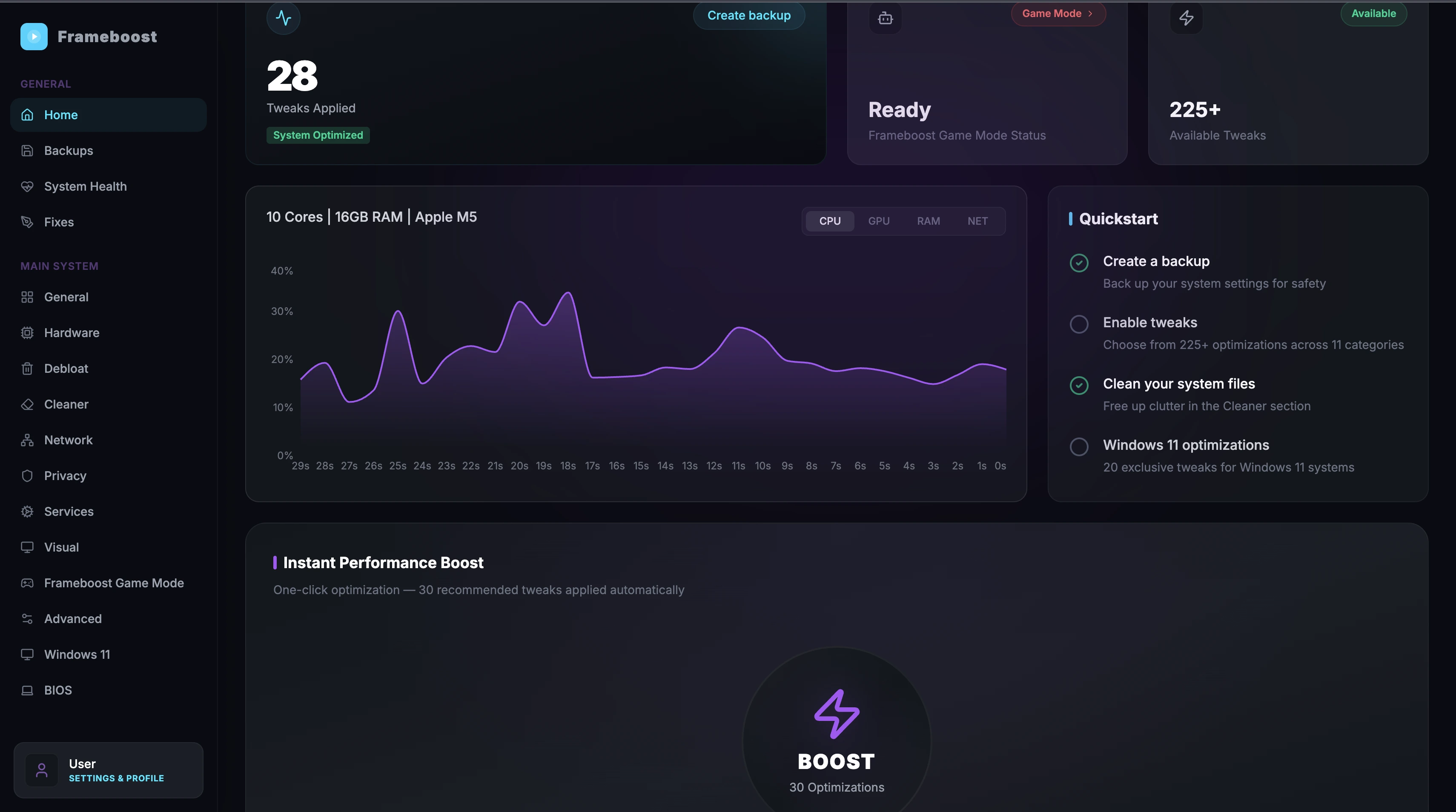
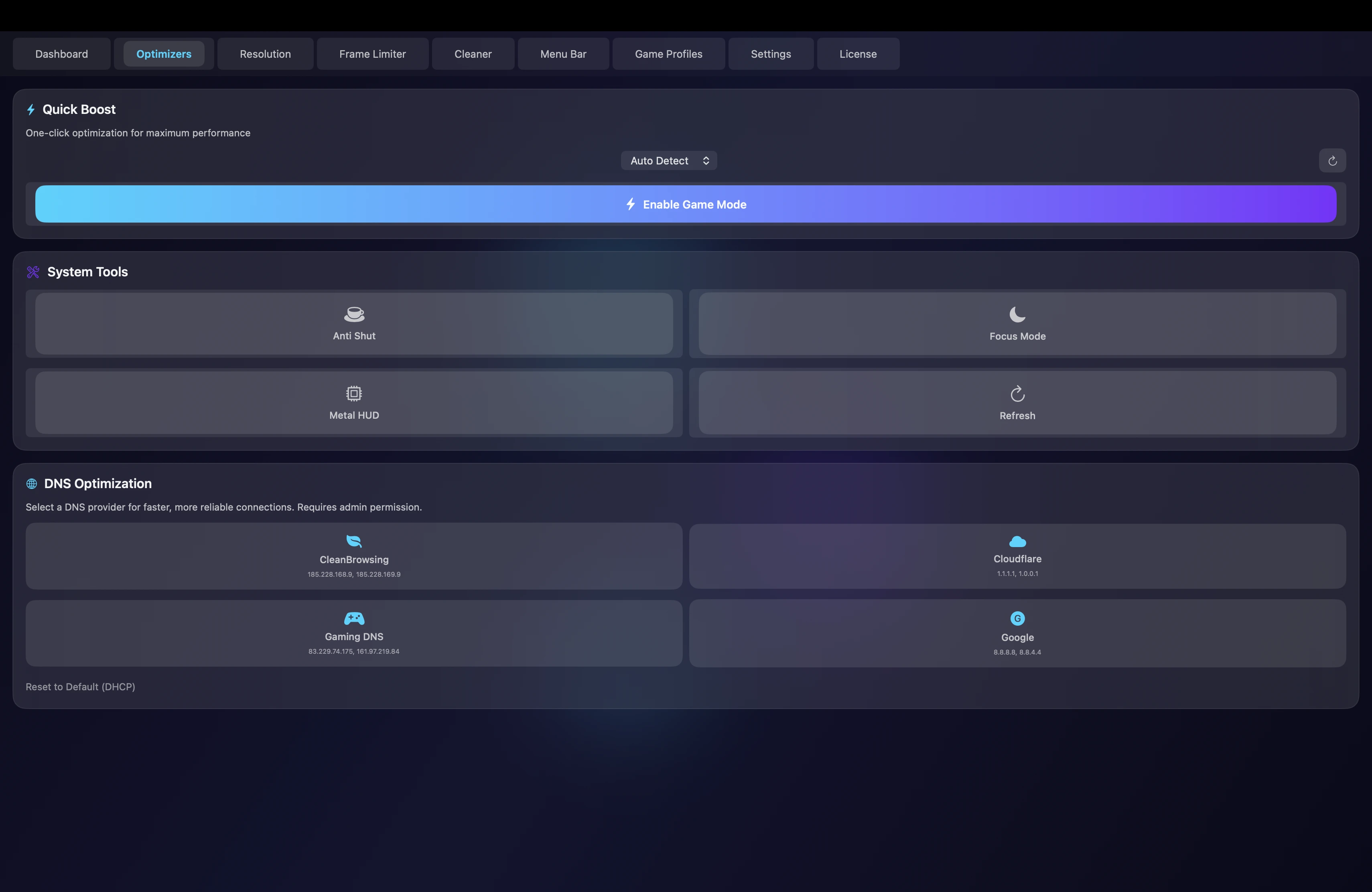
Six controls, one clean flow.
Every feature stays tied to a real player problem. The page explains what changes without burying people in vague claims.
Game Mode
One-click optimization that prepares the machine before launch and allocates resources to the active game.
RAM Purge
Instant memory cleanup that reclaims usable RAM in seconds with a clear before-and-after readout.
FPS Boost
Process prioritization for smoother gameplay, cleaner frame pacing, and less stutter.
Deep Clean
System-wide cleanup for caches, temporary files, hidden leftovers, and junk that builds up over time.
Network Tuner
Refreshes DNS and connection settings to reduce latency and stabilize ping before competitive sessions.
Tweak Library
Keeps 200+ Windows optimizations and 50+ Mac tools organized and readable.
Read, clean, focus, return.
Read
Processes, memory pressure, DNS state, cached weight
Clean
Background load, stale cache, stuck services
Focus
Launch profile, priorities, session state
Return
Clear prompts, safe controls, visible status
Platform details are clear before the download starts.
Both products keep the same pricing rhythm while showing the system requirements and platform-specific tools customers actually need to know.
Native Mac tuning for Apple Silicon and Intel systems.
Requires macOS 12.0+ on Apple Silicon or Intel
- Apple Silicon optimized
- Metal HUD workflow
- Activity Monitor style readout
- 50+ Mac tools
A larger tweak bench for Windows gaming systems.
Requires Windows 10/11 on 64-bit PCs
- 200+ Windows tweaks
- Game Optimizer
- Full Flux recommendation list
- Detection engine
Performance stays visible at a glance.
FrameBoost surfaces CPU pressure, GPU load, VRAM, temperature, ping, and network throughput in a compact readout.
Core 1 38%, Core 2 45%, Core 3 41%, Core 4 44%
VRAM 4.2GB / 8GB, temperature 72C
85 Mbps down, 42 Mbps up
Short platform videos, labeled without clutter.
A quick look at the macOS dashboard, optimizer tools, and cleanup flow.
A quick look at the Windows dashboard, quickstart flow, and tweak controls.