Boost your FPSby 100%with one click
Unlock your Mac and Windows full potential with one clean control surface for FPS tuning, RAM purging, network optimization, live monitoring, and safer first-time setup.
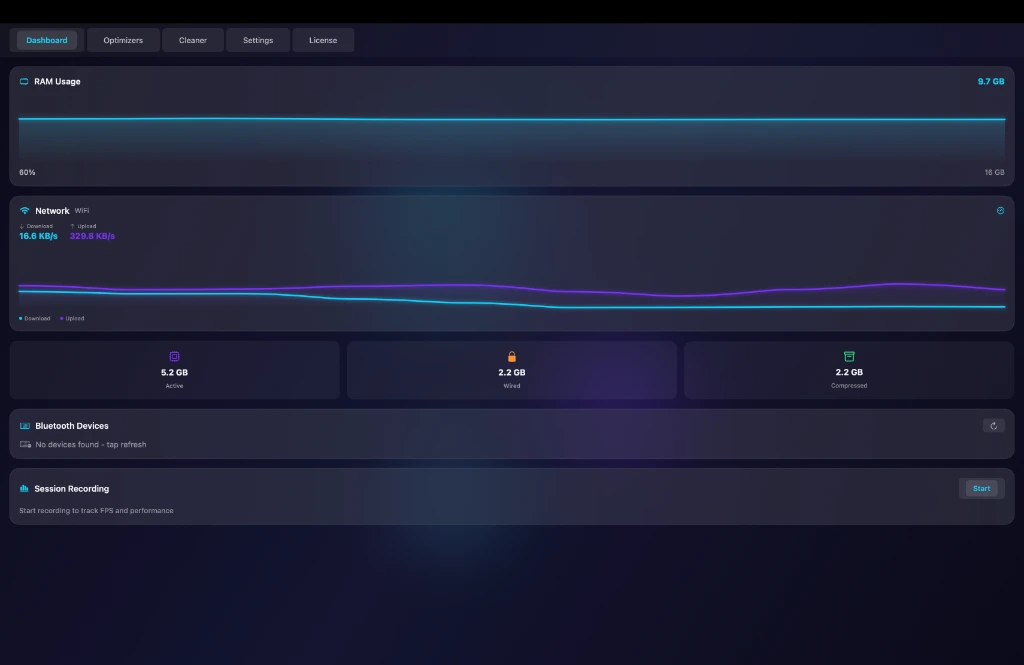
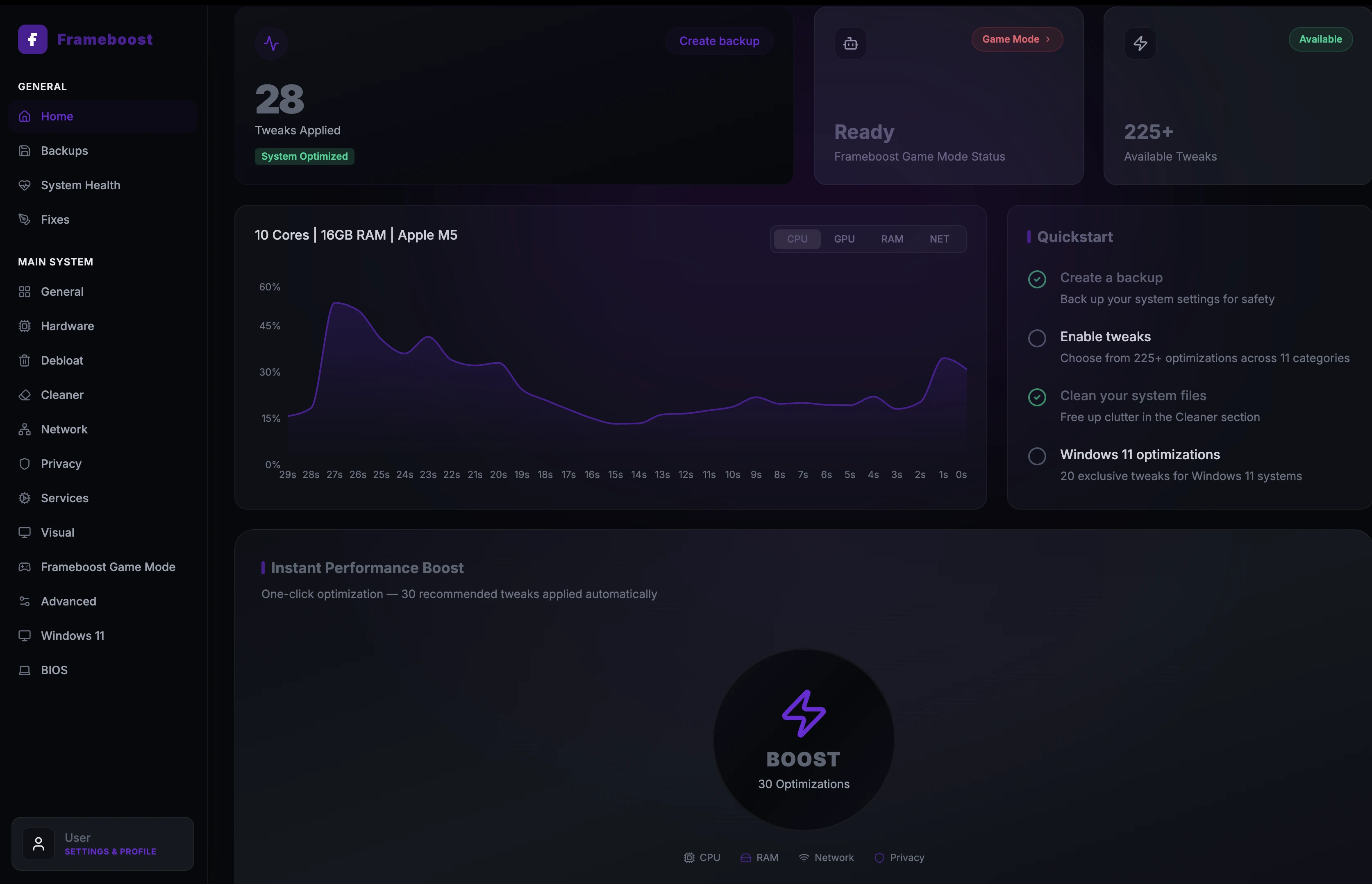
One-click tuning for systems slowed by memory pressure and background load.
Fast memory cleanup before opening a game client or heavy app.
DNS and connection refreshes for steadier competitive sessions.
Built around what players feel: stutter, delay, and heavy background load.
System noise gets measured first.
FrameBoost checks pressure points that usually create stutter: memory load, stale cache, DNS state, background services, and live system pressure.
The fix stays visible.
Users can see what is being cleaned or tuned instead of clicking a mystery button and hoping it worked.
Results stay readable.
Users can track CPU, GPU, memory, network, and cleanup state without leaving the optimizer surface.
Six controls, one clean flow.
Every feature stays tied to a real player problem. The page explains what changes without burying people in vague claims.
Game Mode
One-click optimization that prepares the machine before launch and allocates resources to the active game.
RAM Purge
Instant memory cleanup that reclaims usable RAM in seconds with a clear before-and-after readout.
FPS Boost
Process prioritization for smoother gameplay, cleaner frame pacing, and less stutter.
Deep Clean
System-wide cleanup for caches, temporary files, hidden leftovers, and junk that builds up over time.
Network Tuner
Refreshes DNS and connection settings to reduce latency and stabilize ping before competitive sessions.
Tweak Library
Keeps 200+ Windows optimizations and 50+ Mac tools organized and readable.
Platform details are clear before the download starts.
Both products keep the same pricing rhythm while showing the system requirements and platform-specific tools customers actually need to know.
Native Mac tuning for Apple Silicon and Intel systems.
Requires macOS 12.0+ on Apple Silicon or Intel
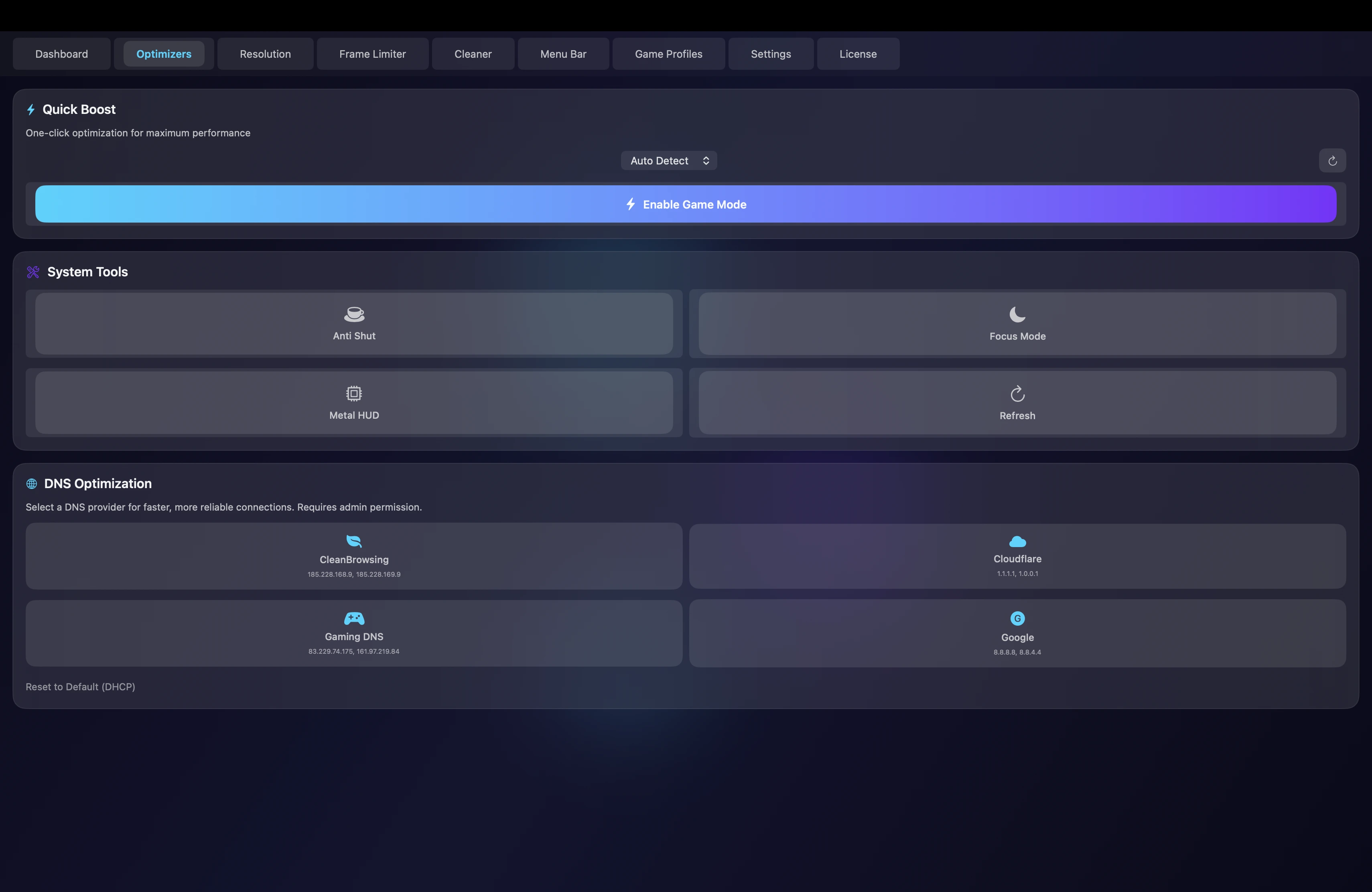
- Apple Silicon optimized
- Metal HUD workflow
- Activity Monitor style readout
- 50+ Mac tools
A larger tweak bench for Windows gaming systems.
Requires Windows 10/11 on 64-bit PCs
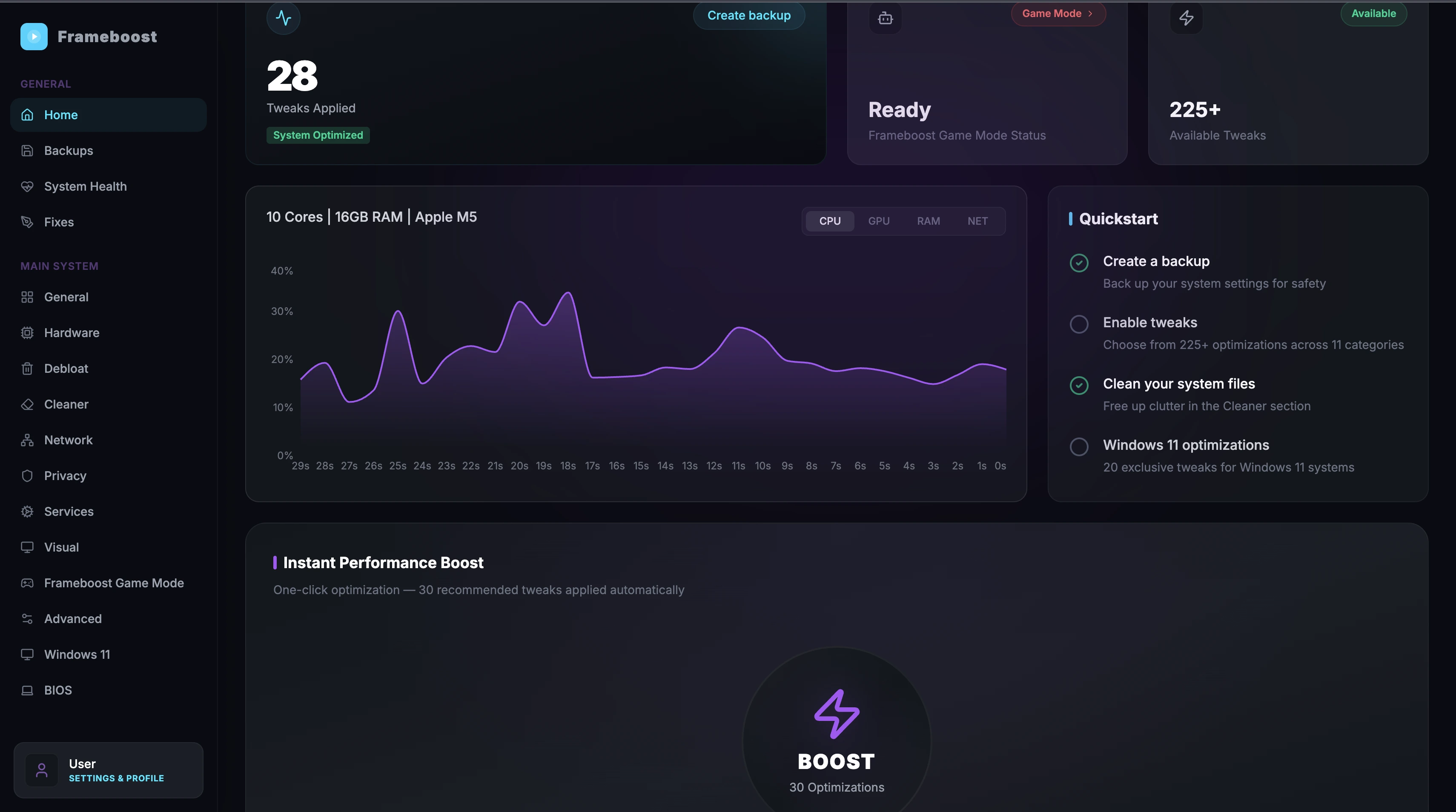
- 200+ Windows tweaks
- Game Optimizer
- Full Flux recommendation list
- Detection engine
Performance stays visible at a glance.
FrameBoost surfaces CPU pressure, GPU load, VRAM, temperature, ping, and network throughput in a compact readout.
Core 1 38%, Core 2 45%, Core 3 41%, Core 4 44%
VRAM 4.2GB / 8GB, temperature 72C
85 Mbps down, 42 Mbps up
The product stays visible from the first scroll.
Mac and Windows screenshots are staged as working surfaces, not as decorations.
MacMacWindowsWindowsShort platform videos, labeled without clutter.
A quick look at the macOS dashboard, optimizer tools, and cleanup flow.
A quick look at the Windows dashboard, quickstart flow, and tweak controls.
Read
Processes, memory pressure, DNS state, cached weight
Clean
Background load, stale cache, stuck services
Focus
Launch profile, priorities, session state
Return
Clear prompts, safe controls, visible status
Clean pages for features, proof, pricing, and downloads.
Same simple alignment. No subscription.
Lifetime license for macOS 12+ on Apple Silicon and Intel.
- Full Game Mode optimization
- Unlimited RAM Purge
- Real-time monitoring dashboard
- Deep Clean system utilities
- Network Tuner optimization
- Premium Discord support
- Free updates for life
Lifetime license for Windows 10 and 11 on 64-bit PCs.
- Full Game Mode optimization
- Unlimited RAM Purge
- Real-time monitoring dashboard
- Deep Clean system utilities
- Network Tuner optimization
- Premium Discord support
- Free updates for life
Ready to boost your performance?
Early access is live. Pick macOS or Windows, then follow the first-time setup prompt before the download starts.
Real installs, real notes.
If you are dealing with browser lag or stuttering tabs, this utility is lightweight, low overhead, and cuts down input lag and micro-freezes.
Purging RAM on my M3 Pro MacBook while gaming freed up memory instantly. The DNS setup, Metal HUD, and Focus Mode are reliable.
I leave this app open constantly. Purging RAM and flushing DNS works perfectly, and the cleaner finds folders I normally miss.